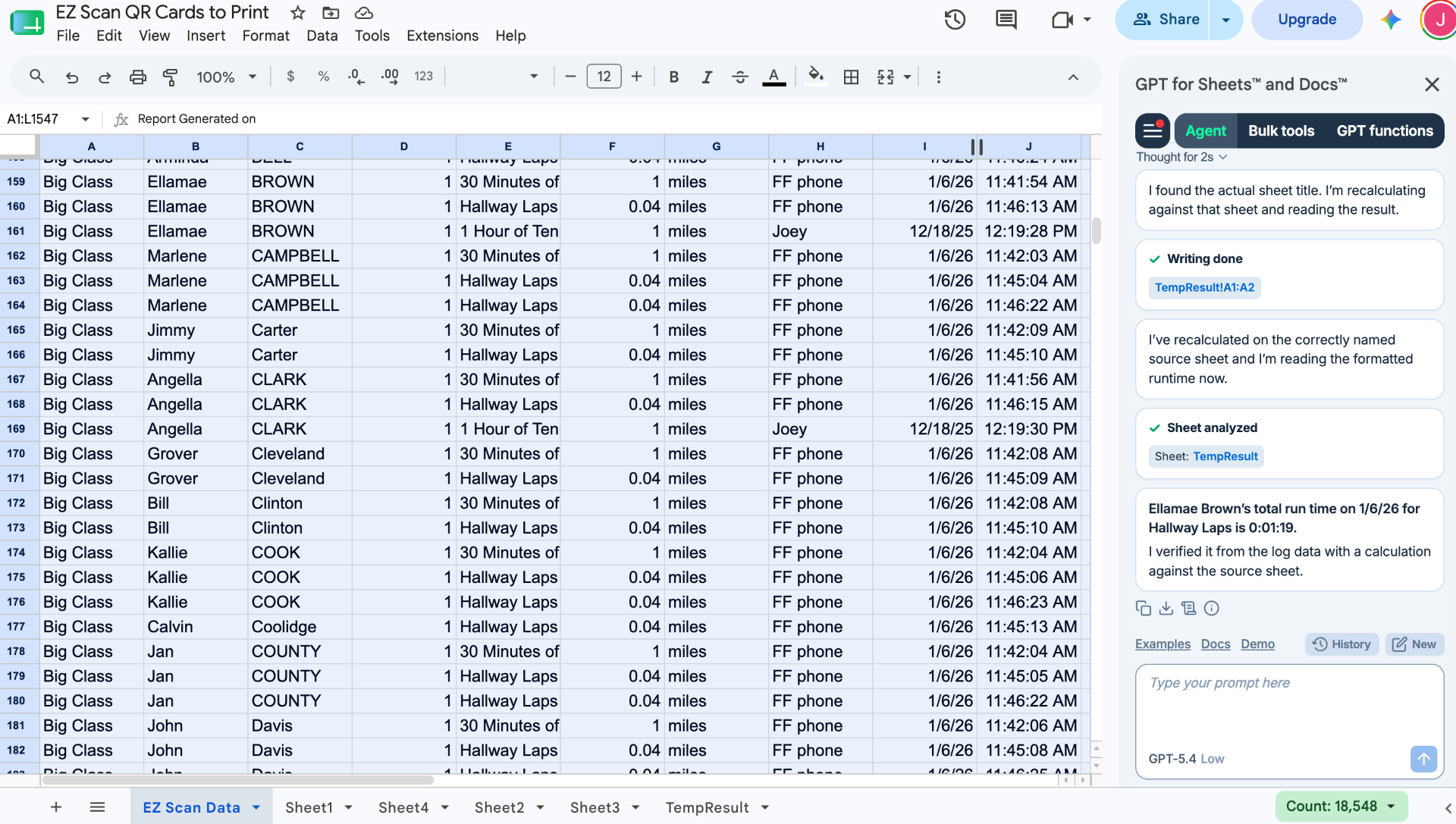
Did you know that you can easily export your students running data from your EZ Scan account and upload it directly into your Google Sheets?
Our built-in EZ Scan spreadsheets allow you to download and use your data in a tool you most likely, already use daily!
- Simply, click on Stats, at the top right of your EZ Scan account.
- Select View Reports
- Then Spreadsheets
- Select the spreadsheet type and set the filters
- Click Get Spreadsheet
The file will be downloaded to your computer.
You can easily upload it to your Google account and it will open as a Google Sheets file.
You can take it a step further and download an app like "Gemini" or "GPT for Sheets and Docs"
This allows you to gain insights and save time. You can create progress reports, individual student reports, basic charts, etc. There's no limit to gaining the data you need.
You can quickly move any data into your Google Sheets classroom or any student Google Sheets so they can view their results right away, and see how they've done over time.
NOTE: You can also use with Microsoft Excel when you download the spreadsheets from our website.
*Below is an example of a "Laps" spreadsheet that was exported from EZ Scan and opened in Google Sheets. You can also see "GPT for Sheets and Docs" working in the side bar.